


TimeTabple

The calendar you make your own

Your own plans and the ones you share, together on one calendar. See the same calendar as your family, partner or friends, and know the moment something changes.

Scan with your phone’s camera to open the right store for it.time.tabple.com/get
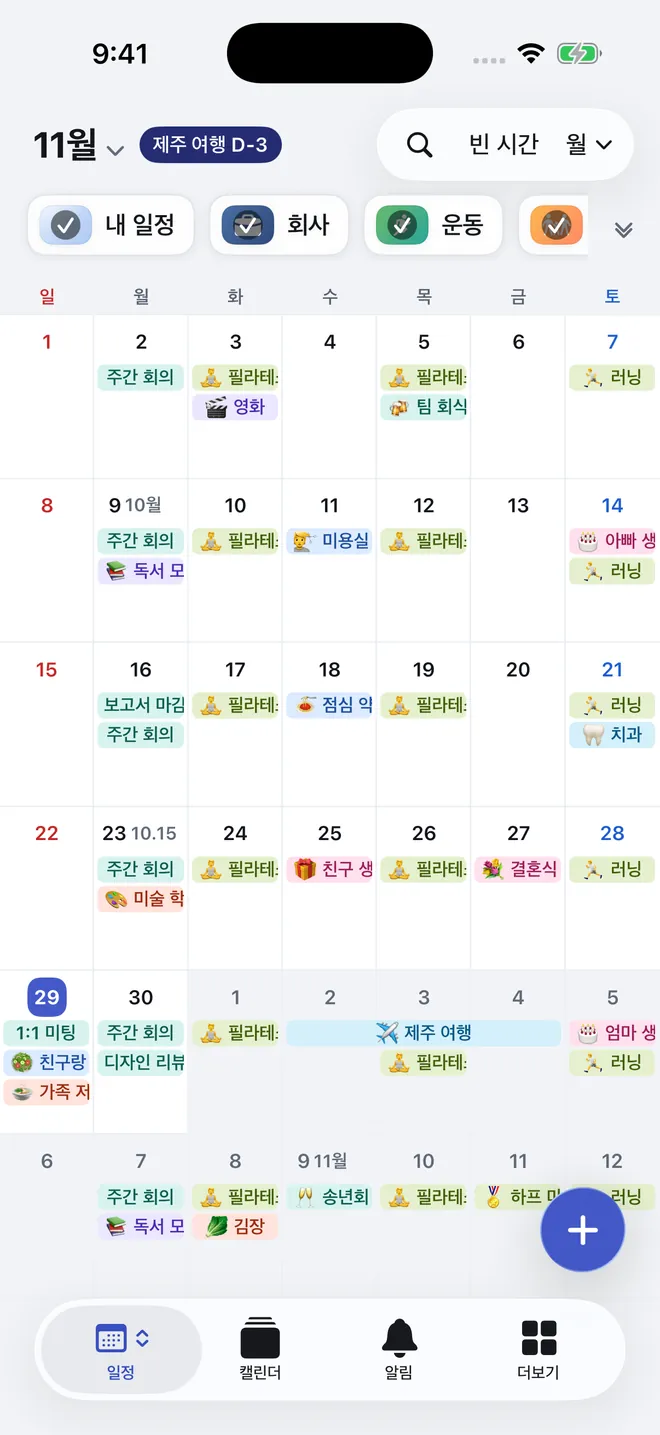
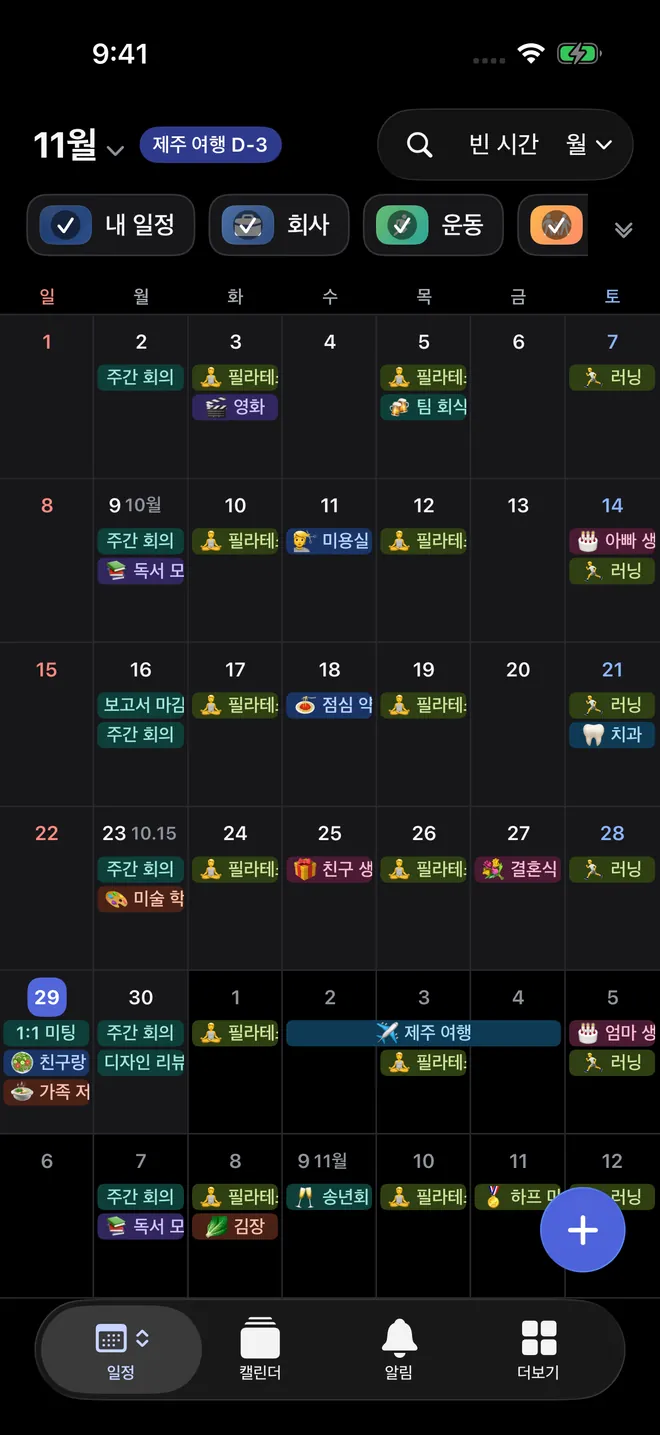
November calendar filled with emoji-tagged events in the colors of the My events, Work, Workout and Our family calendarsNovember calendar filled with emoji-tagged events in the colors of the My events, Work, Workout and Our family calendars

A look inside the app

These are the current screens from the store. Hover over the images to pause.
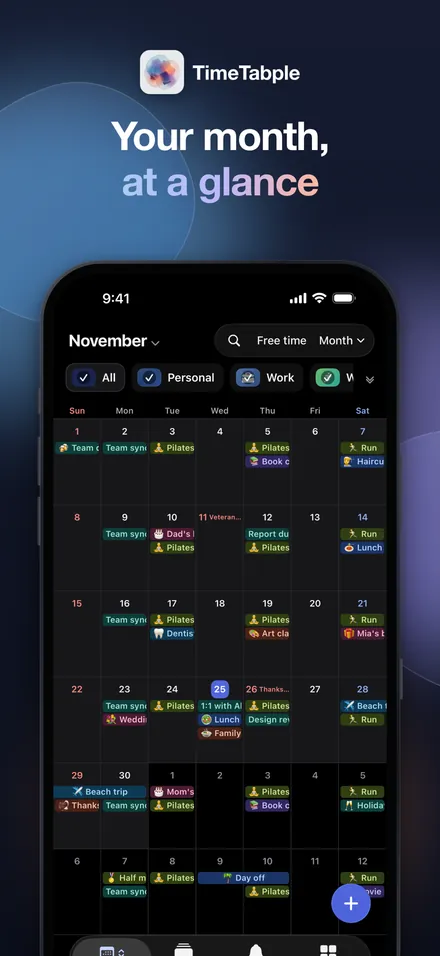
  • Month view filled with color-coded events
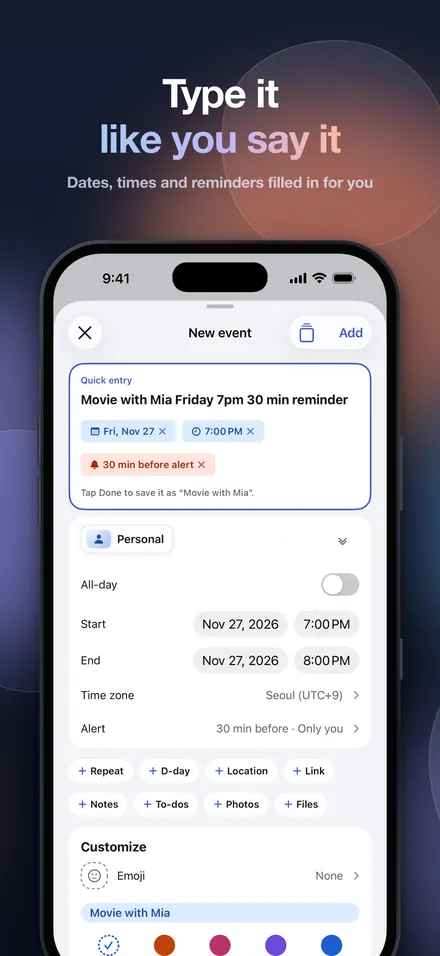
  • New event screen with the date, time and reminder filled in from one typed line
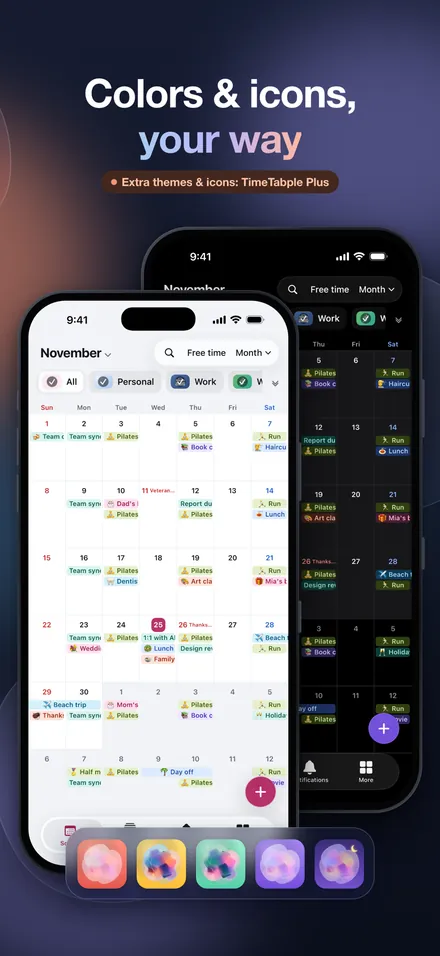
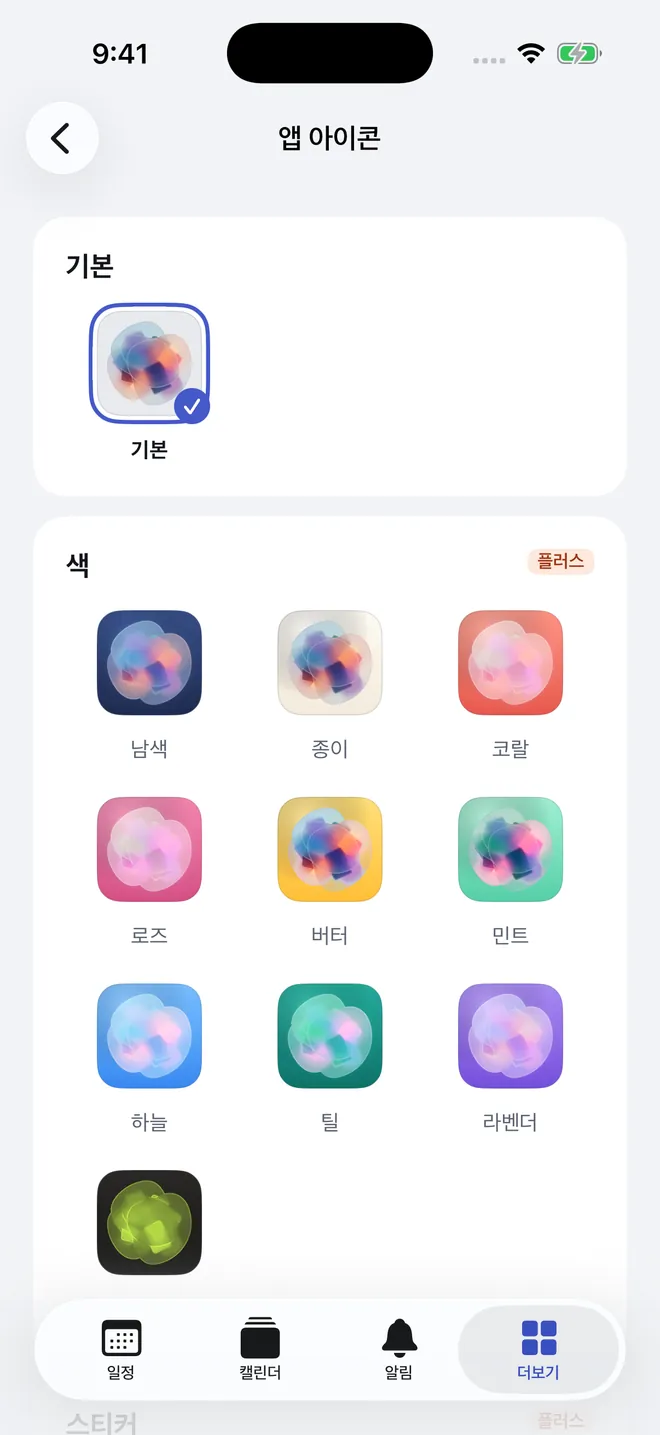
  • Calendar screens with different color themes and app icons
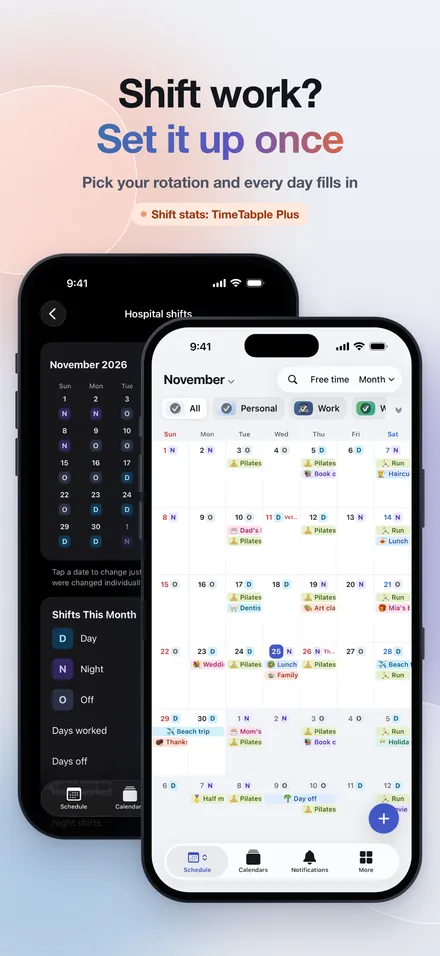
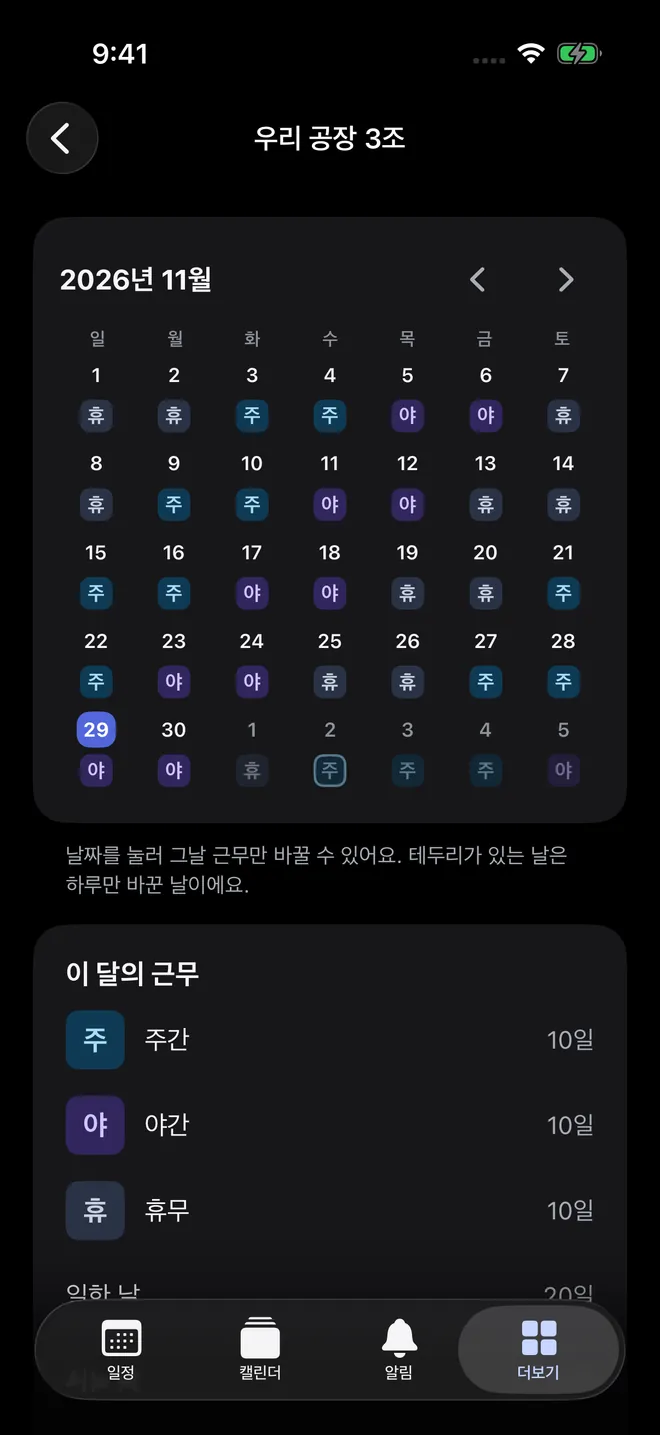
  • A shift schedule shown on the calendar
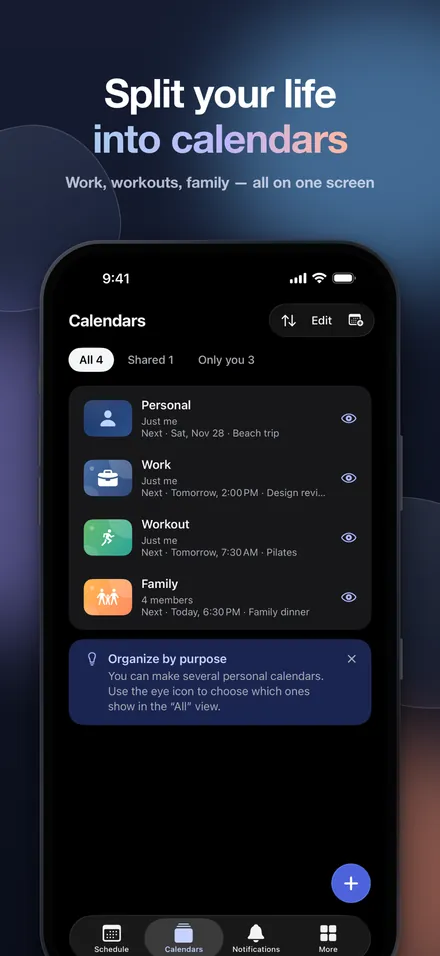
  • Calendar list split into My schedule, Work, Fitness and Our family
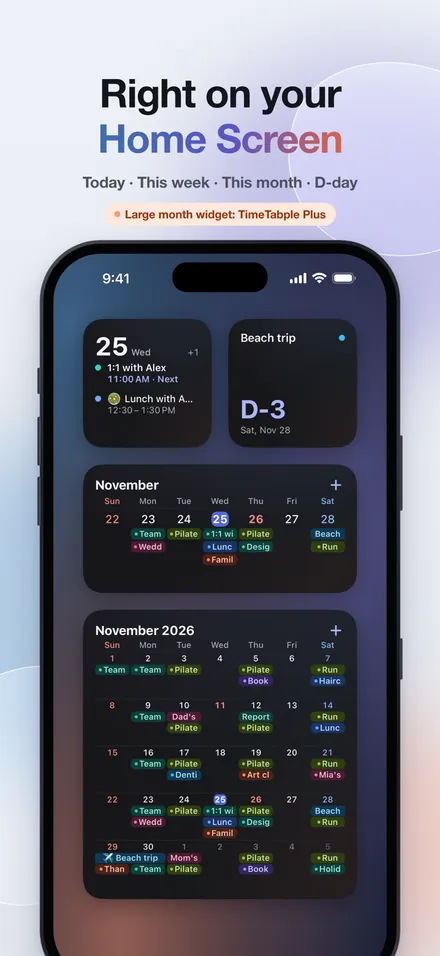
  • Today, D-day and calendar widgets on the Home Screen
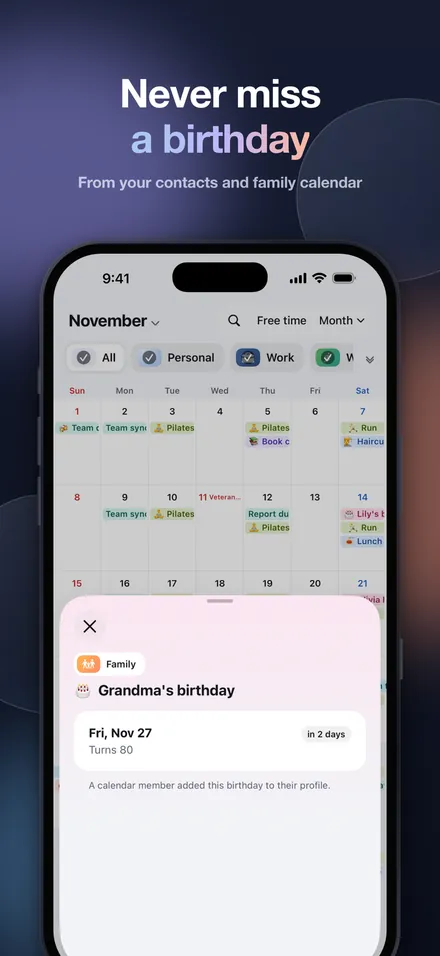
  • A lunar birthday shown on the calendar
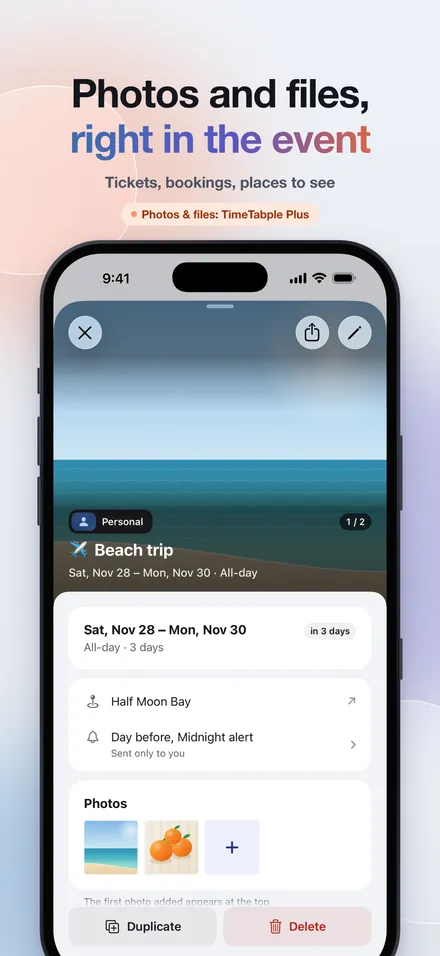
  • Event details with travel photos
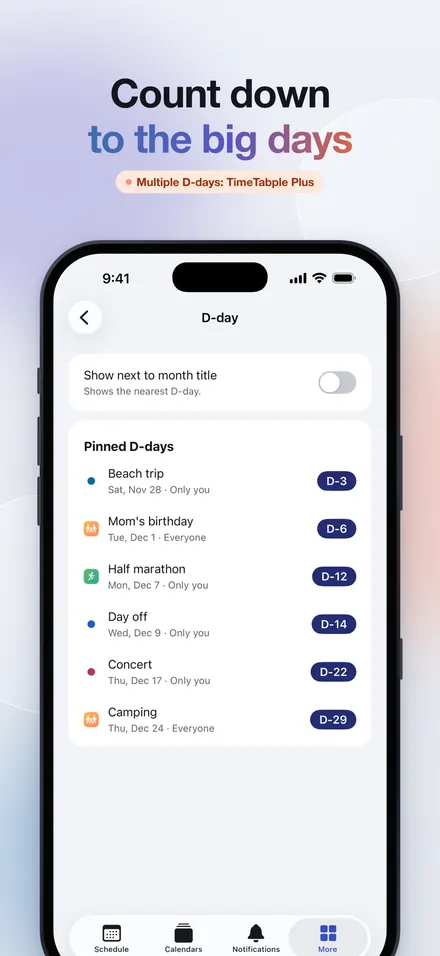
  • D-day screen listing the days you are waiting for
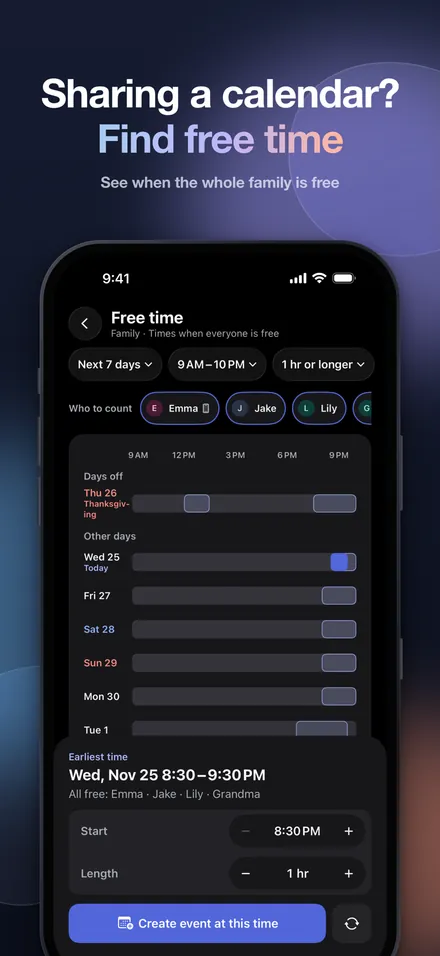
  • Free time screen finding when the whole family is free

TimeTabple in numbers

  • 6

    Color themes

  • 22

    App icons

  • 5

    Widgets

  • 5

    Holiday calendars

  • 12

    Languages

Calendars you share

Create a calendar, invite people with a link or QR code, and you’re all looking at the same calendar. Keep personal calendars too, one for each part of your life: workouts, travel, study.
  • Invite with a link or QR code
  • Pick a role: Admin, Member or View only
  • A color and cover for every calendar
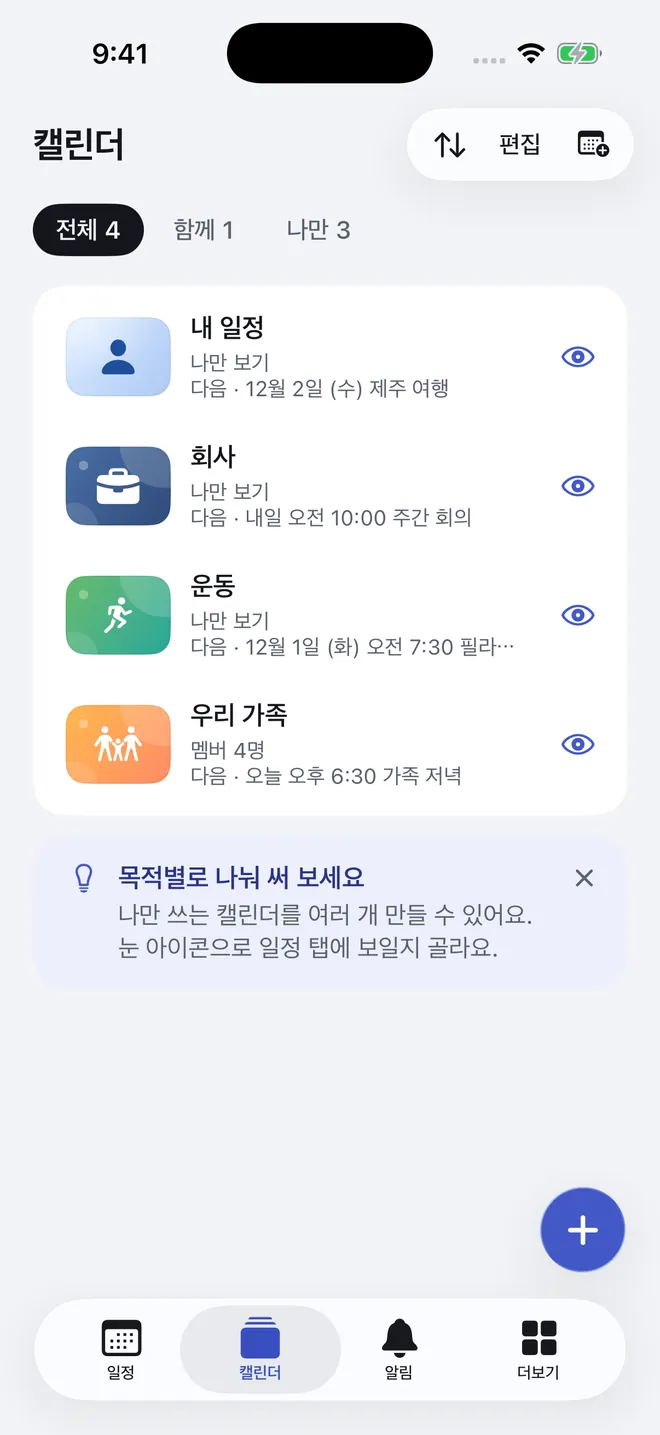
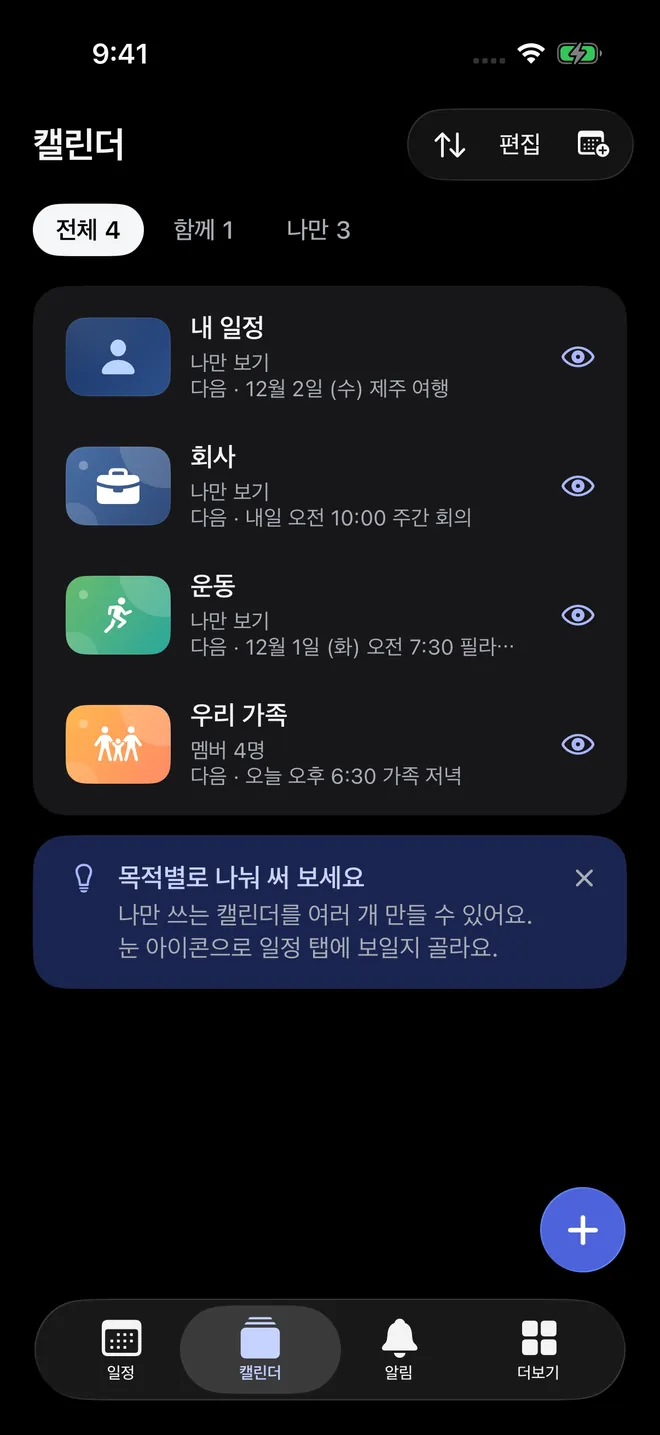
Calendars tab: three personal calendars (My events, Work, Workout) and one shared family calendar, each with a cover and its next eventCalendars tab: three personal calendars (My events, Work, Workout) and one shared family calendar, each with a cover and its next event

Write one line, get an event

Type something like “Dentist tomorrow 3pm remind me 30 min before” and Quick entry fills in the date, time and alert for you. Repeating, all-day and multi-day events are just as easy.
  • Quick entry reads the date, time and alert
  • Repeating, all-day and multi-day events
  • Holidays (Korea, US, Japan, Taiwan, China) and lunar dates
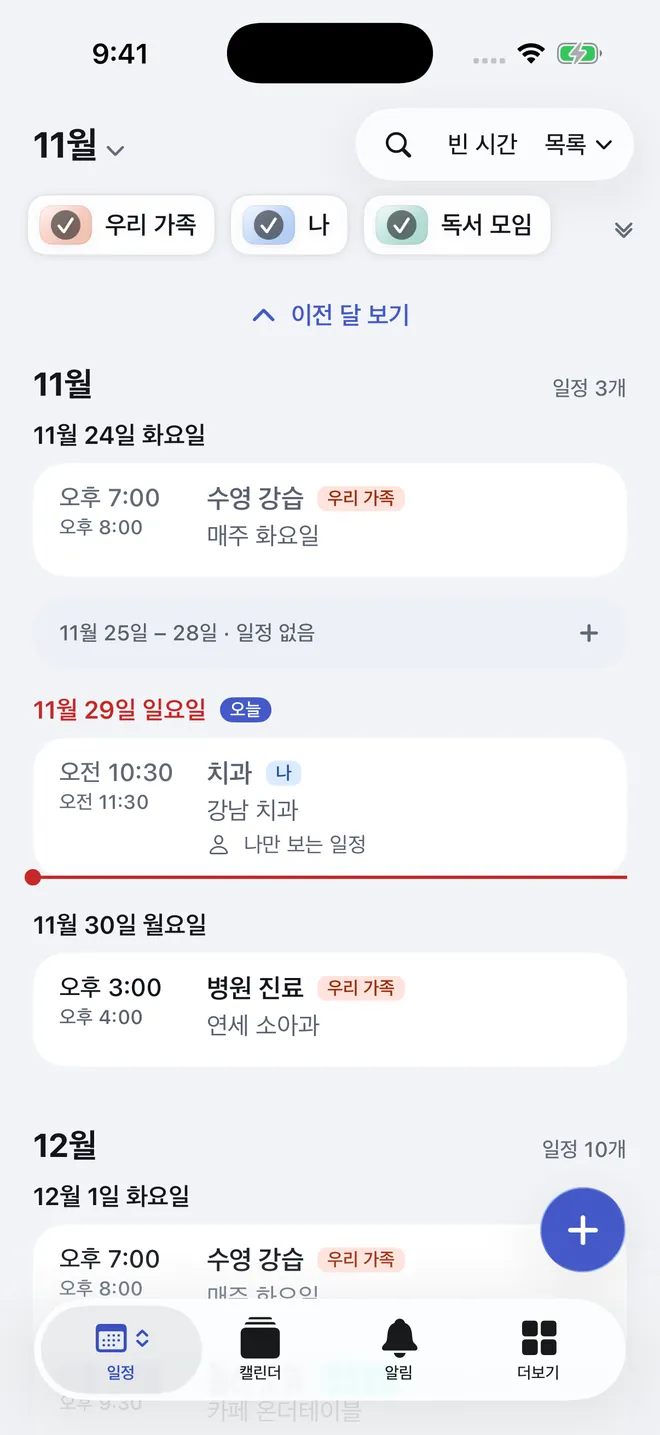
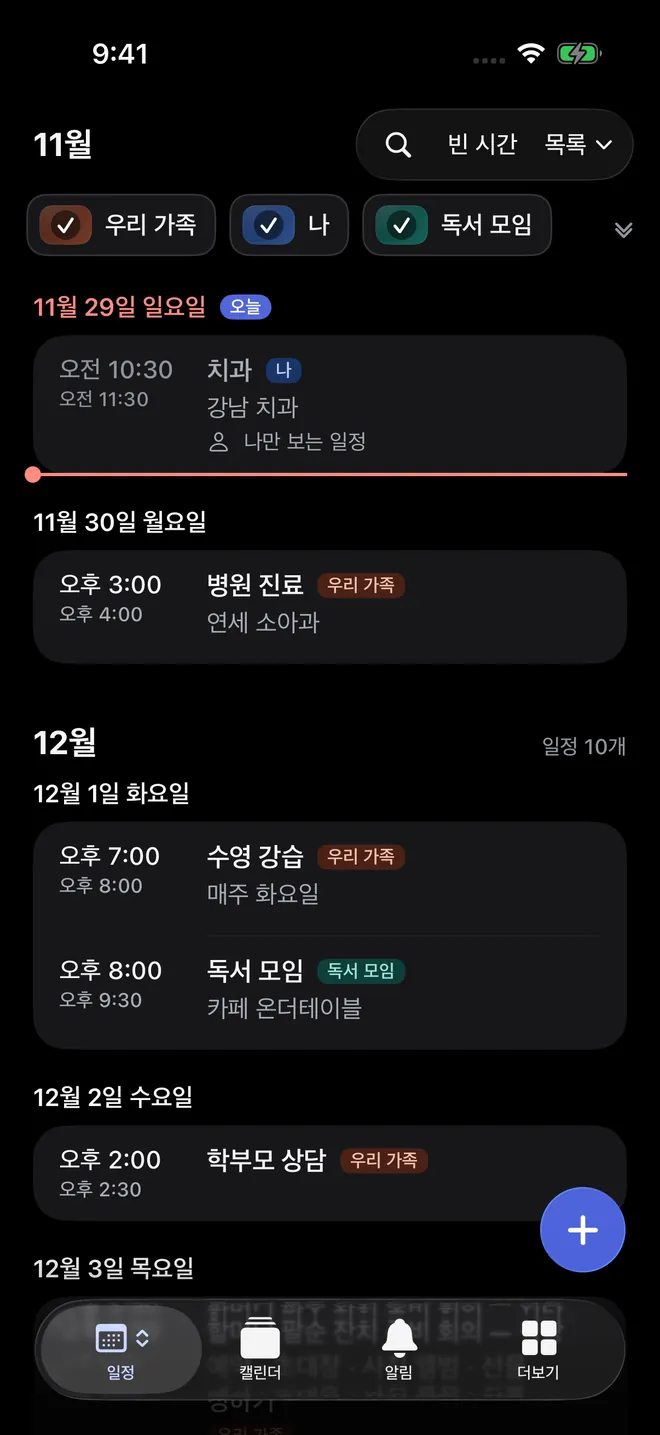
Event list by date: today marked with a line at the current time, and swimming lessons that repeat every TuesdayEvent list by date: today marked with a line at the current time, and swimming lessons that repeat every Tuesday

Shift schedules, on your calendar

Set a rotation like ‘Day · Day · Night · Night · Off · Off’ once, and your shifts fill in on the calendar every day. They sit alongside your other events, so your days off are easy to spot.

  • Start from Nurse 3 shifts, 4 crews, 2 shifts or 24-hour duty, or build your own
  • Swap a single day without touching the rest
  • Every date on the calendar shows that day’s shift

Multiple shift schedules and monthly shift stats come with TimeTabple Plus.
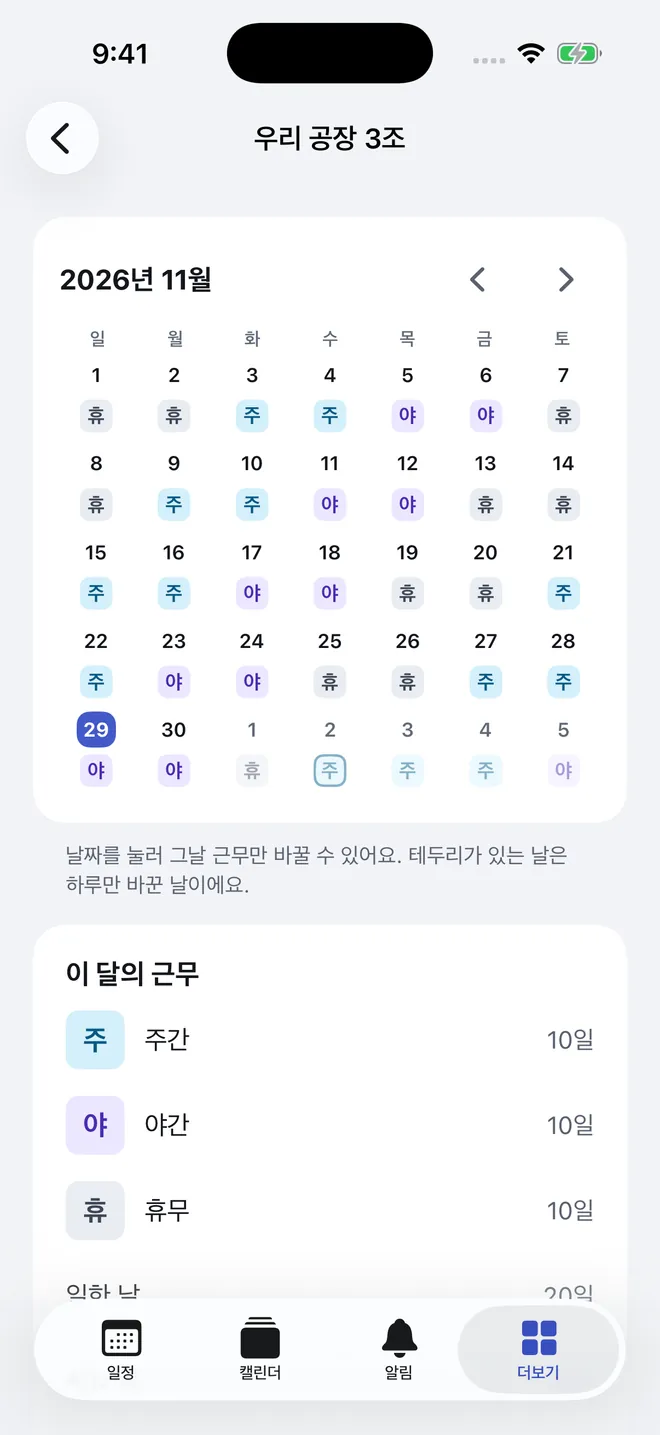
Shift schedule screen: a month calendar marking each day of a Day · Day · Night · Night · Off · Off rotation, with this month’s day, night and off countsShift schedule screen: a month calendar marking each day of a Day · Day · Night · Night · Off · Off rotation, with this month’s day, night and off counts

Know when plans change

When someone adds an event to a shared calendar or changes its time or place, you get a notification. Every event keeps a record of who changed what.
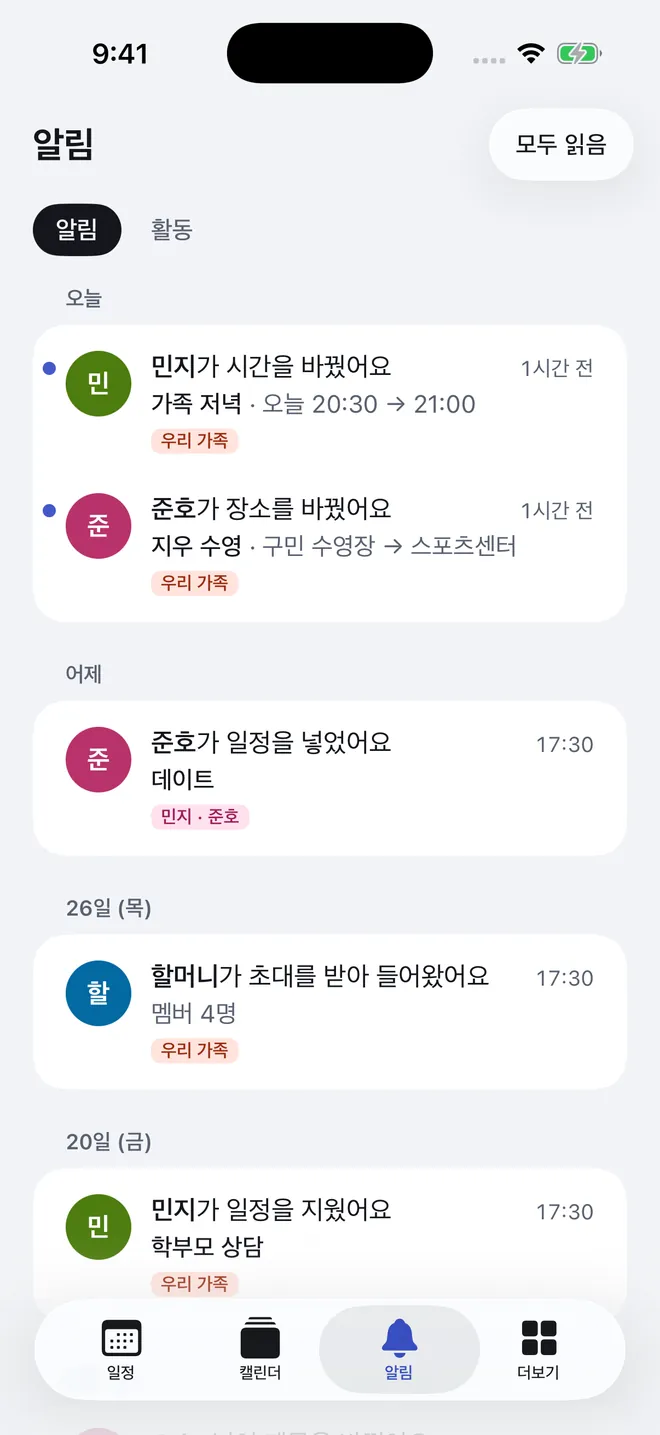
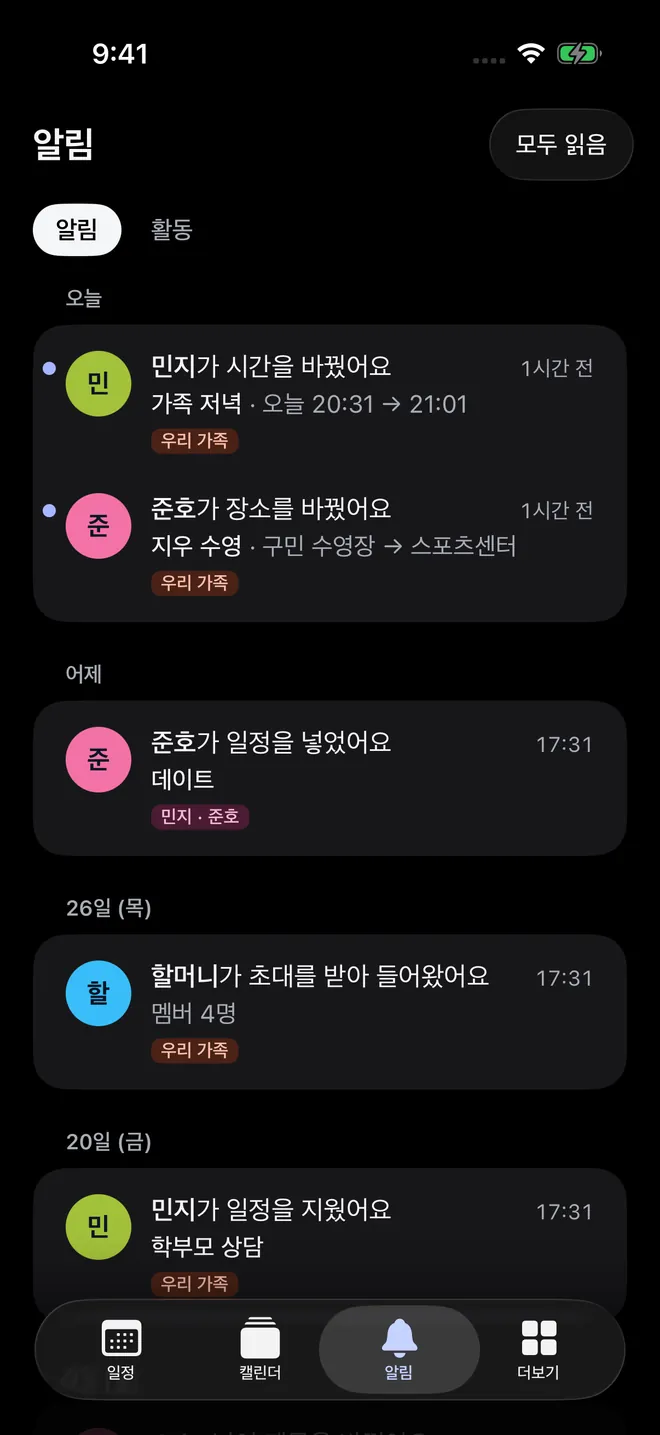
  • Alerts for new events and time or place changes
  • All, My alerts only or Off for each calendar
  • Change history shows who changed what
Notifications tab grouping, by day, the time and place changes and new events from the people you share withNotifications tab grouping, by day, the time and place changes and new events from the people you share with

Free time for everyone

See the times when everyone in a shared calendar is free, day by day. Pick a slot and add the event right there. No more polling the group chat.
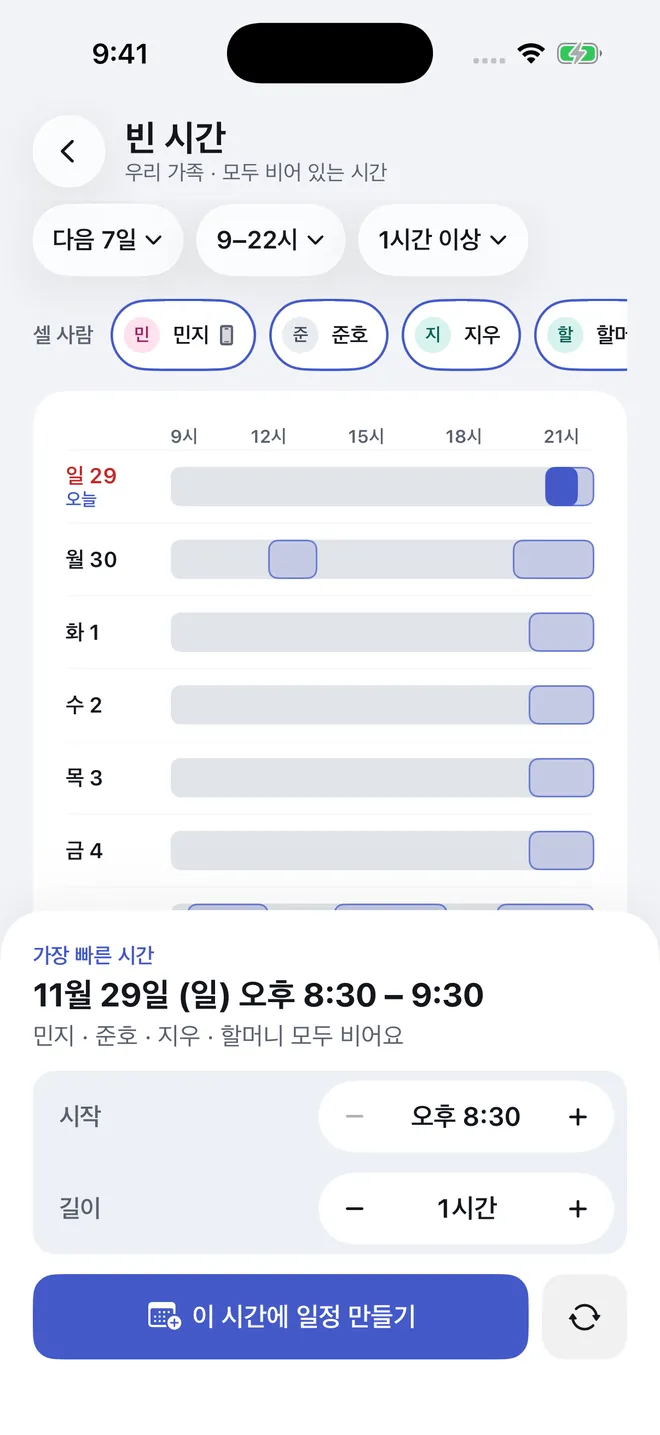
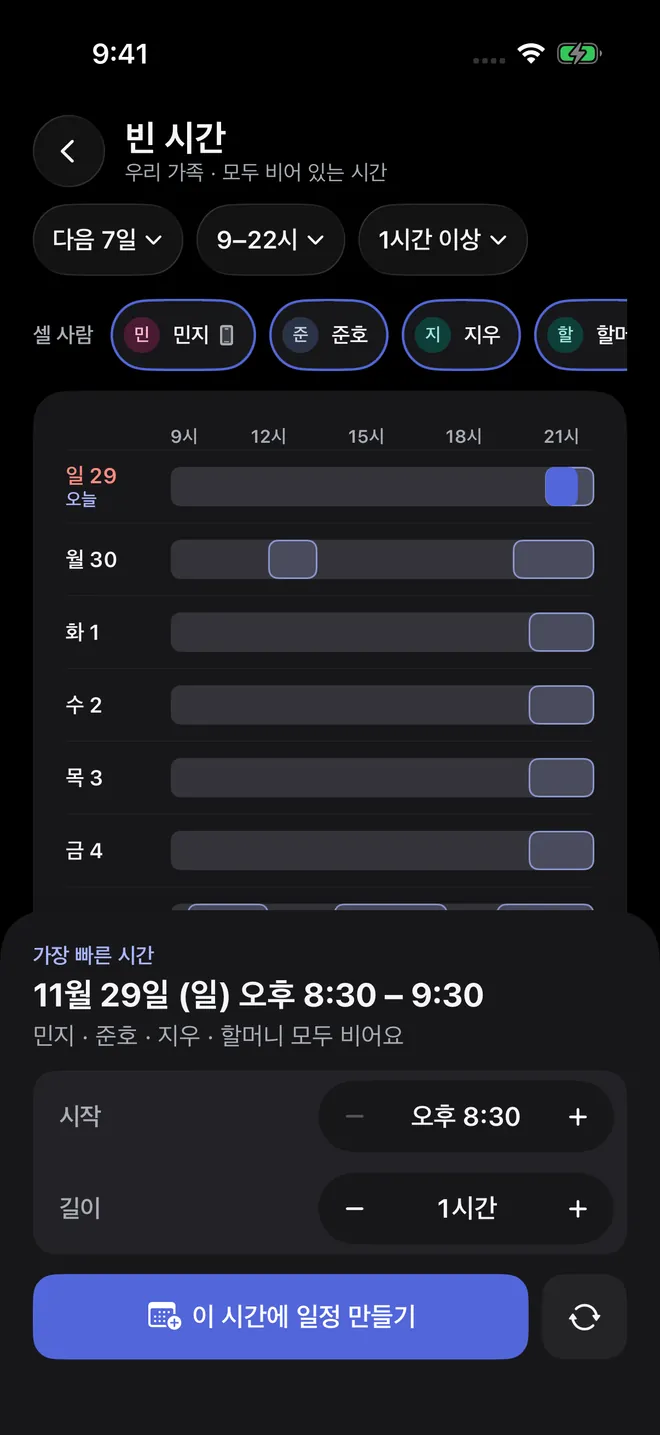
  • Set the time window and minimum length
  • Holidays are grouped and shown first
  • Create an event in the slot you pick
Free time screen showing, day by day, when everyone is free, with the earliest slot ready to become an eventFree time screen showing, day by day, when everyone is free, with the earliest slot ready to become an event

Make it yours

Change the color theme, the calendar covers, even the app icon on your Home Screen.

  • 6 color themes
  • Calendar covers: 12 built-in designs or your own photo
  • 21 app icons

Color themes, app icons and photo covers come with TimeTabple Plus.

Pick your Home Screen icon, too

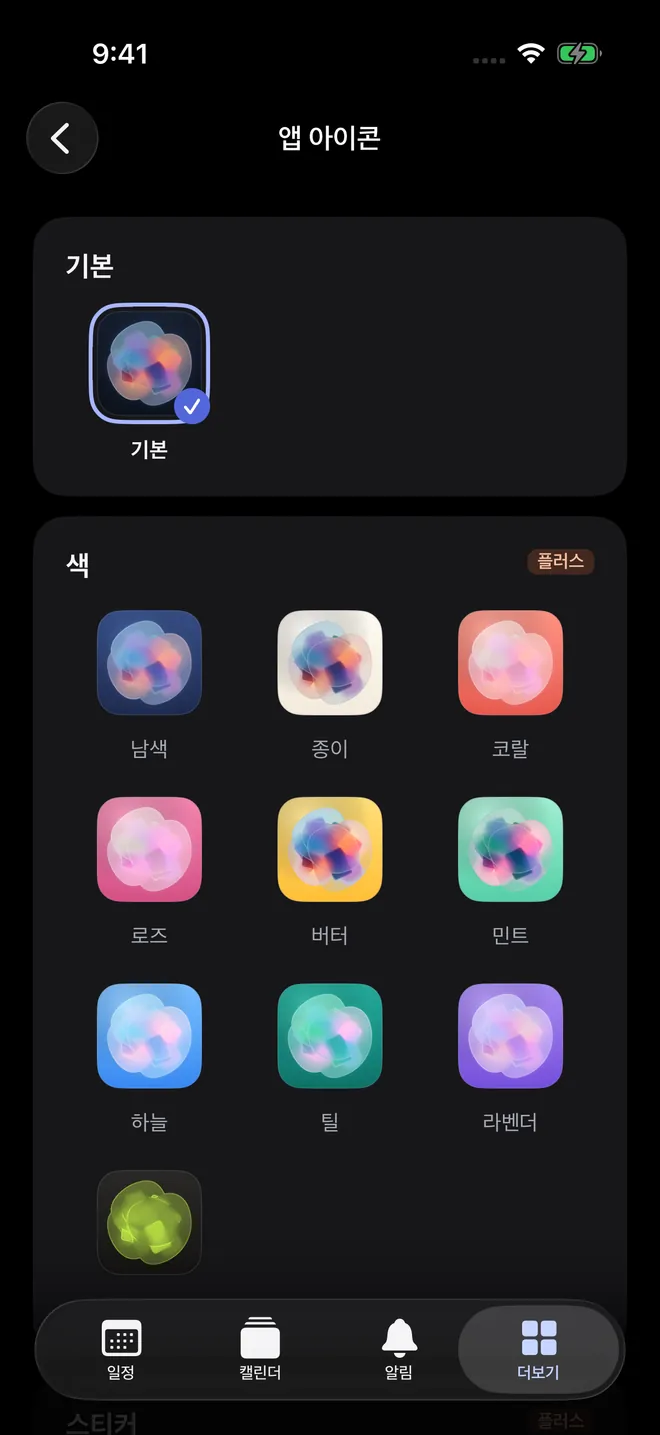
The App icon screen with the default icon and color icons such as Navy, Paper and CoralThe App icon screen with the default icon and color icons such as Navy, Paper and Coral

Widgets and D-days

See today’s events and what’s next right on your Home Screen, and pin the days you’re looking forward to as D-days to count them down.
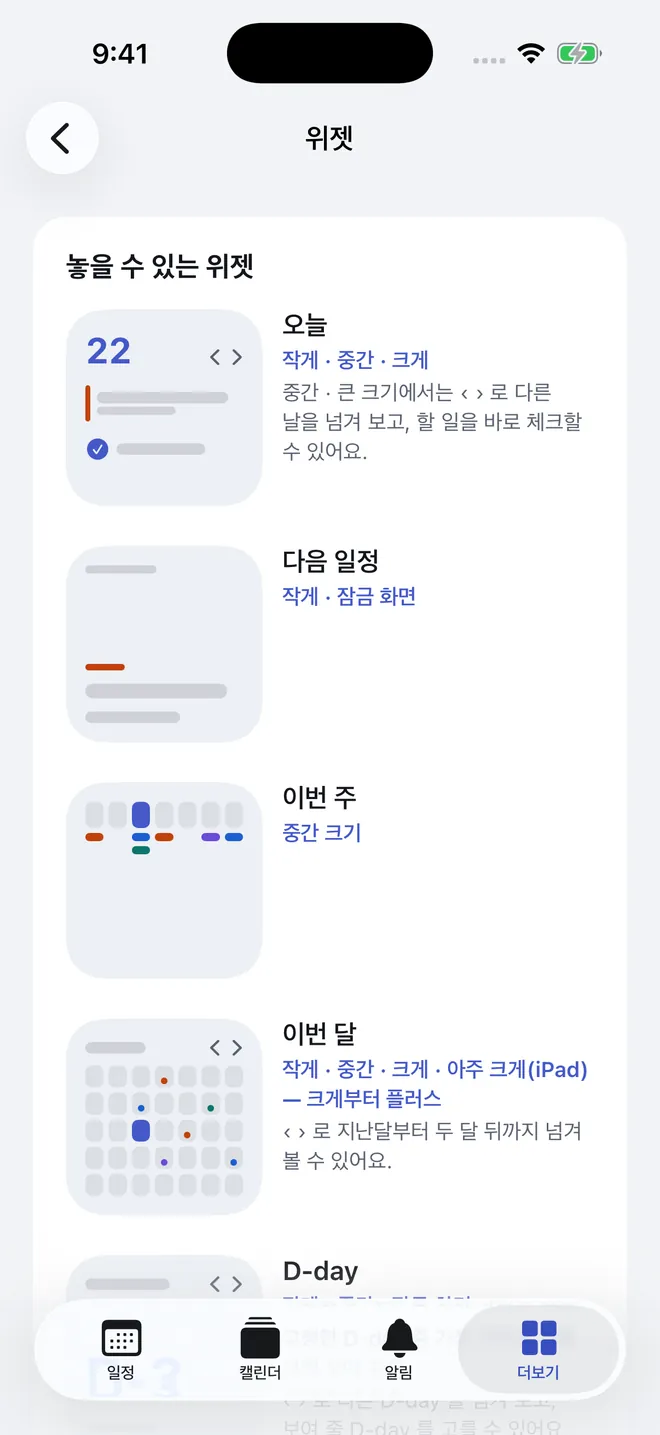
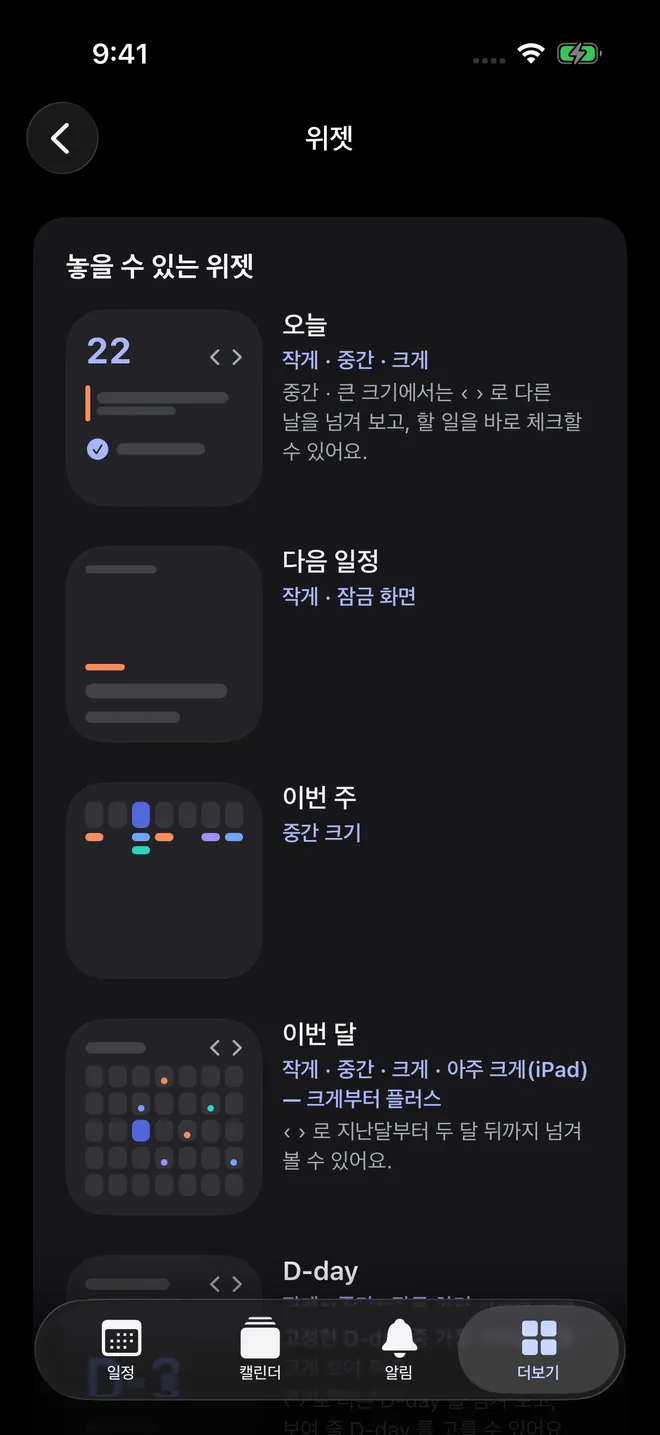
  • Today, This week, This month, Next event and D-day widgets
  • Lock Screen widgets on iPhone
  • Touch and hold an event to pin it as a D-day
Widget guide showing the Today, Next event, This week, This month and D-day widgets with previews and sizesWidget guide showing the Today, Next event, This week, This month and D-day widgets with previews and sizes

And there’s more

The little things you’ll reach for every day.

Event templates
Save the events you add often and fill them in with a tap. Plus lets you keep more.
Duplicate to several days
Pick the days on a calendar and copy an event to all of them at once.
Add by voice · Fill with AI
Speak, or paste a long message, and it’s read on your device to fill in the event. On supported devices.
Everything in one event
Pick an emoji and a color, add links and a to-do list, and check off to-dos together with members.
Share as an image
Turn an event or a whole day into an image card and send it via KakaoTalk or any app.
Restore deleted events
Deleted something by mistake? Bring it back within 30 days.
Year view
See all twelve months on one screen and scan the whole year.
Birthdays
See birthdays from Contacts (if you turn it on) and the ones members choose to share.
Repeat yearly on lunar datePlus
Add lunar birthdays and memorial days on the same lunar date every year.
Morning Summary
Get today’s events in a single notification each morning.
Siri and Shortcuts
On iPhone, ask Siri or use Shortcuts to add events and check today’s plans.
Bigger screens
On iPad and Android tablets, the day’s events open right next to the calendar.

Your plans stay yours

TimeTabple is made for sharing, so we’ve made it clear who sees what.

  • Only the people you invite

    Events in a shared calendar are visible only to members who joined through an invite. Personal calendars are for your eyes only.

  • Device calendars stay on your device

    Titles, locations and notes from your iPhone or Android device calendar are never sent to our servers. If you turn on Share busy times only, just the start and end times are sent.

  • Delete it right in the app

    You can delete your account yourself in More › Manage account. Calendars only you used are deleted right away, along with their events.

You can report or block comments, events, photos or members that bother you. The other person isn’t told that you reported them.

Read the Privacy Policy

Start free. Add Plus when you want more.

Invites, notifications and free time are free. Subscribe to TimeTabple Plus for no ads and more room.

Free

$0

Everything you need to share

  • Shared calendars and invites
  • Change alerts and change history
  • Free time for the next 7 days
  • 3 calendars · 1 pinned D-day
  • Banner ads on the Schedule, Calendars and Notifications tabs

TimeTabple Plus

$0.99/month$9.99/year

No ads, no limits

  • No ads
  • Unlimited calendars and D-days
  • Free time for 4 weeks, across calendars
  • Photo covers and photos on events (up to 10 per event)
  • Files on events (up to 5 per event)
  • 6 color themes and 21 app icons
  • Large calendar widget

The yearly plan starts with a 1-month free trial

  • The price shown in the App Store or Google Play applies.
  • You can subscribe to Plus in the iPhone and iPad app (App Store) and in the Android app (Google Play).

Compare Free and Plus

Questions

Is TimeTabple free?

Yes. Calendar invites, change alerts and free time are free. The free version shows banner ads on the Schedule, Calendars and Notifications tabs and in event details; with TimeTabple Plus there are no ads and no limits on calendars or D-days. You subscribe to Plus right in the iPhone, iPad or Android app.

More in Help

Do the people I invite need the app?

Yes. They accept the invite in the app to join the calendar. If someone without the app taps the invite link, a page opens to help them get it; once it’s installed, they tap the link again. Invite links work for 7 days after they’re created.

More in Help

Does it work offline?

You can view, add and edit the events saved on your device. When you’re back online, your changes upload in order, and if someone else changed the same event first, the app asks which version to keep.

More in Help

Can I see events from my phone’s built-in calendar?

Yes. Turn it on in More › Other calendars and events from your iPhone or Android device calendar appear on the same calendar. Their details are used only on your device.

More in Help

What happens to shared events if I delete my account?

Calendars only you used are deleted right away, along with their events. In calendars with other members you’re simply removed; the events you added stay in that calendar, with your name removed as the creator.

More in Help

See all help topics

TimeTabple · The calendar you make your own